
I Can’t Remember to Hydrate, So I Bought a WaterH Bottle to Remind Me
I didn’t buy a smart water bottle because I’m particularly interested in owning a technologically advanced container for water. I bought one because, left to my own devices, I apparently cannot be trusted to remember to drink it.
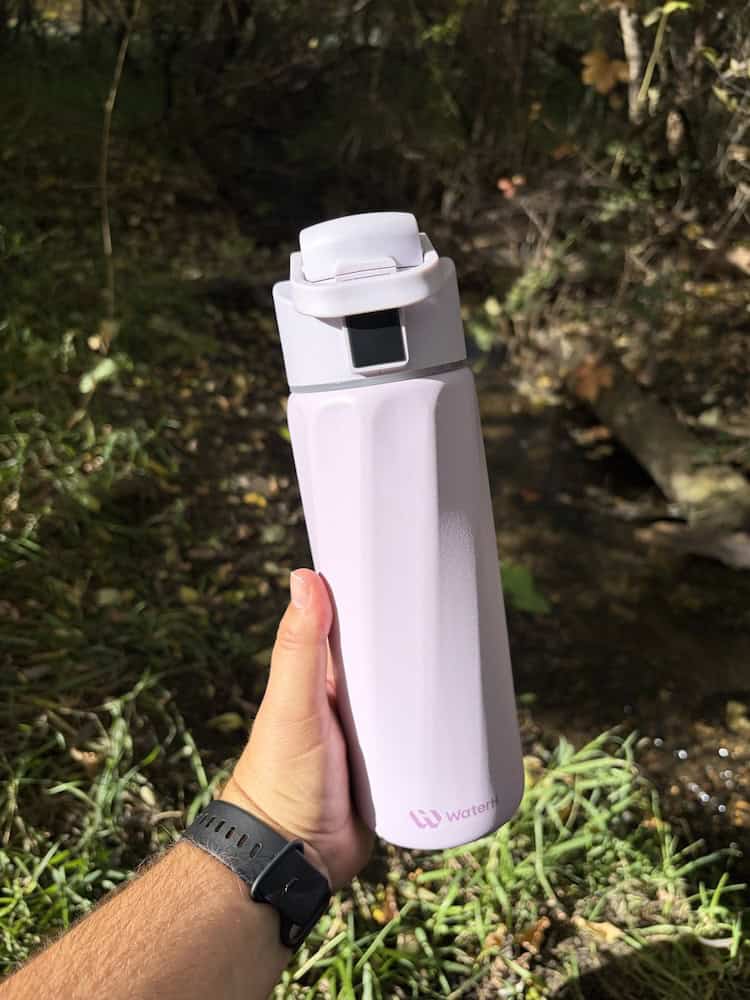
I’d owned a smart water bottle before and knew the concept worked for me, so when I moved to Mexico and suddenly found myself trying to stay hydrated in the Yucatan heat, I went looking for another one. That’s how I ended up with my WaterH Smart Water Bottle.
Since then, this bottle has seen the beaches of Yucatan, traveled through international airports, spent plenty of time baking in the Mexican sun and, because apparently all of my belongings eventually end up there, made its way to rural Canadian rodeo grounds.
Most importantly, though, it has actually helped me drink more water.
It’s not a perfect system, and there are definitely things I would change. But after living with it for a few years, I have plenty of thoughts on whether the tracking works, whether the reminders are actually useful and whether anyone really needs a water bottle with its own app.
So, let’s talk about it.
Why I Bought a Smart Water Bottle
WaterH wasn’t actually my first smart water bottle.
Years ago, when I was still living in Calgary, I owned a HidrateSpark. I have ADHD, and one of the things I struggle with is remembering basic human maintenance tasks like drinking water and, occasionally, eating food. Apparently my brain has decided these are optional activities.
The HidrateSpark helped. Having something actively remind me to drink — and being able to see how much water I’d actually consumed — worked considerably better than relying on myself to remember.
I used that bottle until the battery eventually died. By then, HidrateSpark had moved on to newer models and replacing the battery wasn’t really an option. I would have needed to buy an entirely new bottle.
For a while, I decided I’d simply remember to drink water like a normal adult.
That went about as well as you would expect.
Then I moved to Mexico.
Not drinking enough water is already less than ideal. Not drinking enough water while living in the Yucatan, where it’s hot, humid and you’re constantly sweating, is a significantly bigger problem.
And yet, for an embarrassingly long time, I remained convinced I could solve this problem myself. I could just drink more water. I didn’t need a fancy water bottle to tell me to do it.
Turns out, I absolutely did.
I looked at buying another HidrateSpark, but importing one into Mexico was expensive. I also considered some of the simpler reminder devices you can attach to a regular water bottle, but I already knew that having the tracking component worked for me.
I didn’t just want something to flash a light and tell me to drink. I wanted to be able to look at my phone and see whether I was actually doing it.
That’s how I eventually found WaterH.
It offered essentially what I was looking for: reminders to drink, automatic intake tracking and an app where I could actually see my progress. I wasn’t new to the concept, and I wasn’t buying it because I wanted another piece of tech to play with. I bought it because I’d already tried this kind of system before and knew it could solve a very specific problem for me.
I’ve had my WaterH bottle for about a year now, which is plenty of time to determine whether it’s actually helped.
Spoiler alert: it has. Mostly.
What is a Smart Water Bottle?
A smart water bottle is, simply put, an electronic water bottle.
Exactly how they work varies depending on the brand, and the technology isn’t perfect, but the basic idea is that the bottle tracks roughly how much water you’re drinking throughout the day. When you take a drink, a sensor measures the amount of water leaving the bottle and records it as part of your daily intake.
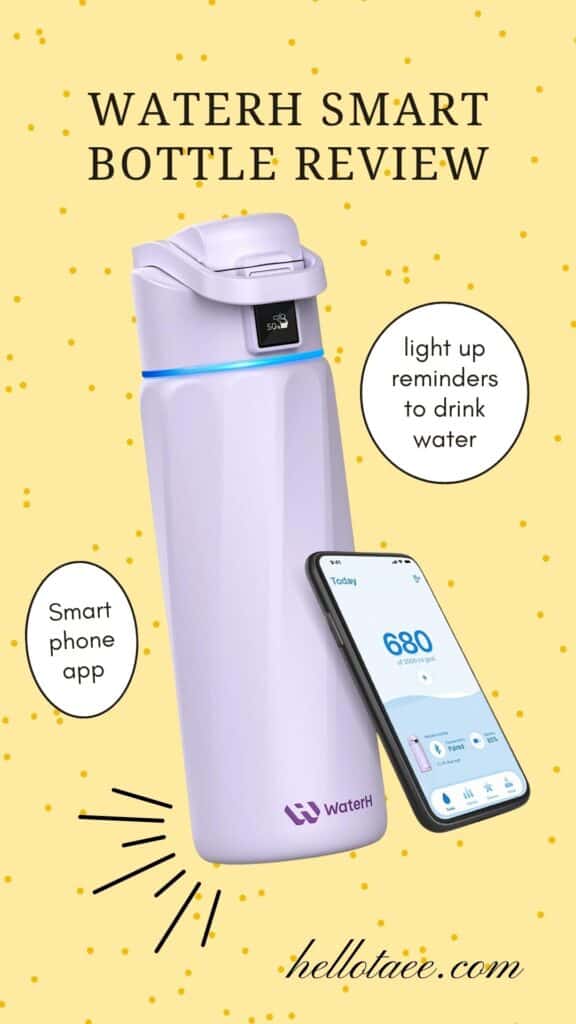
With the WaterH, the “smart” stuff is built into the lid. The lid is the part you charge — not the bottle itself — and it has a light strip around the bottom that flashes to remind you to drink. You can customize how frequently you want those reminders, whether that’s every 30 minutes, every hour or whatever interval works for you.
Mine flashes blue, which is essentially my water bottle’s way of saying, Hey, idiot. Drink me.
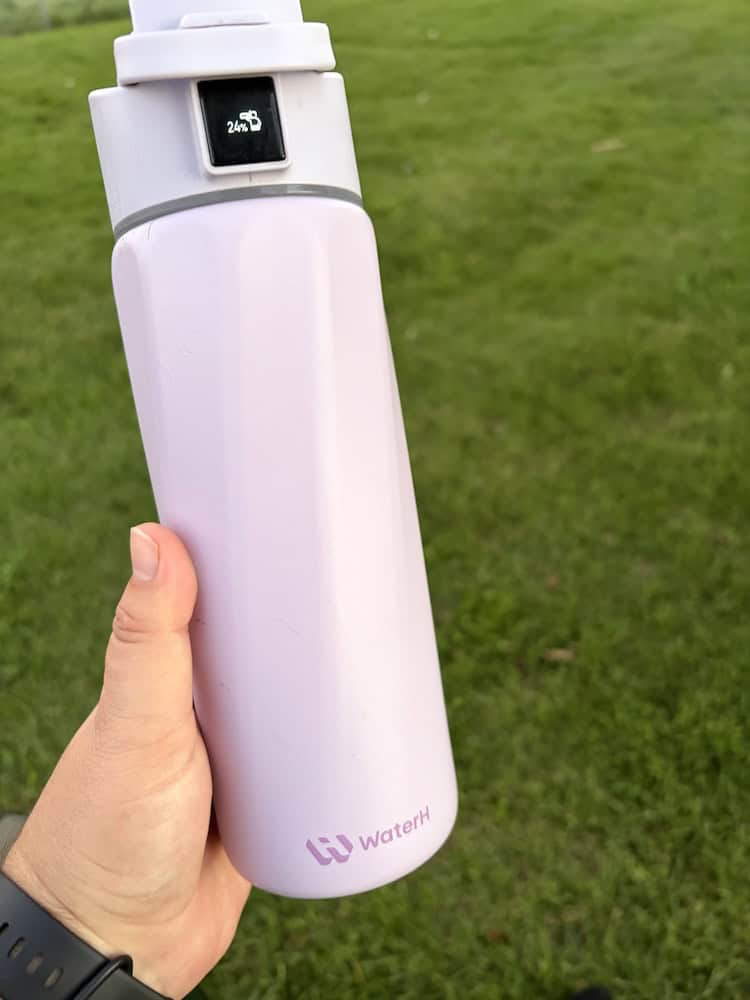
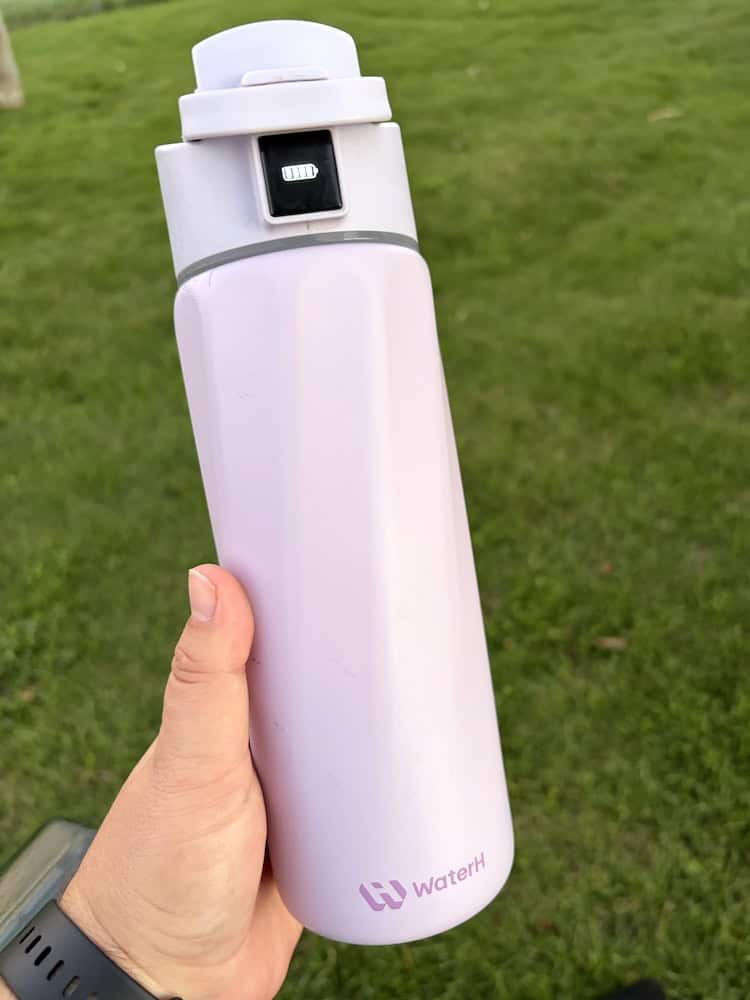
There’s also a small touchscreen on top of the lid. It shows things like your battery life and what percentage of your daily water goal you’ve reached, which means I don’t actually have to pull out my phone every time I want to see how I’m doing.
And yes, my water bottle has a name. Her name is púrpura.
The bottle also connects to the WaterH app, which is where you can set your daily hydration goal and see more detailed information about how much you’re drinking. It’ll track your intake over time and give you reports on your hydration habits.
I don’t spend a ton of time looking at the reports in the app, personally. For me, the most useful parts are the reminders and being able to glance at the bottle itself and see how close I am to my daily goal.
But the tracking is there — and, more importantly for me, it gives me actual evidence of whether I’ve remembered to drink water rather than letting me confidently assume that I probably have.
What’s it Like to Use Everyday?
At the end of the day, the WaterH is still a water bottle. You fill it up, add some ice if that’s your thing, and drink out of it. So long as I remember to both charge it and fill it, it’s incredibly simple to use — and I drink considerably more water when I have it with me.
It is, however, a fairly hefty water bottle.
The WaterH Boost is insulated and made with a metal interior, which I personally like because my ice lasts forever, but it also means the bottle itself isn’t particularly light.
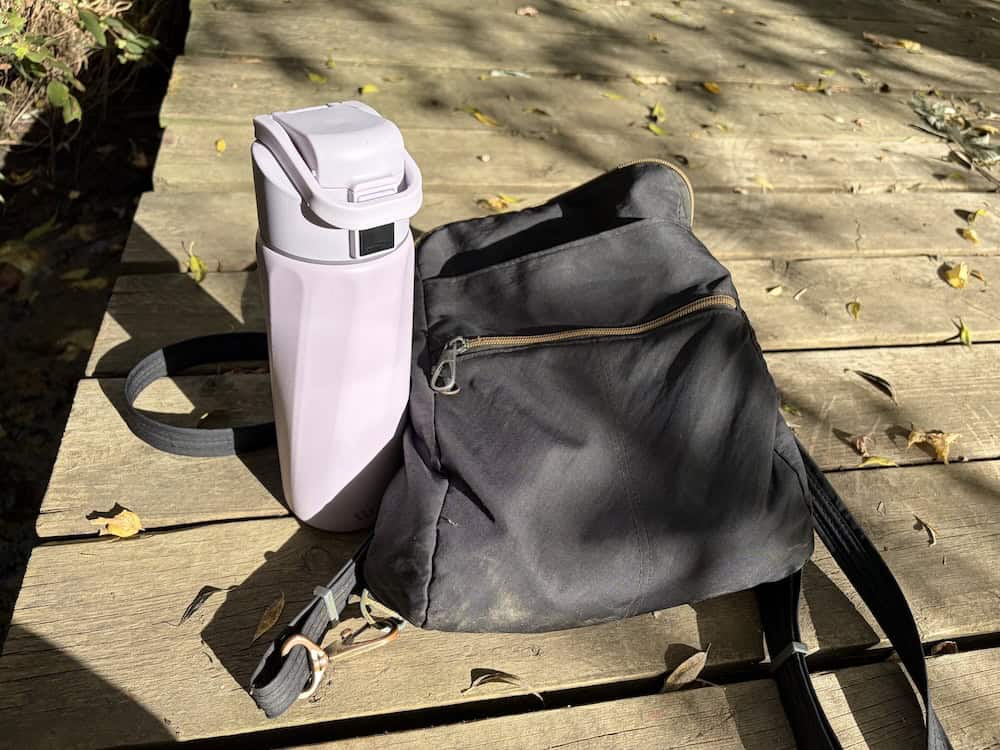
Fill it completely with water and you’re definitely going to notice the weight. Honestly, when I head on an afternoon hike I can absolutely tell when it’s in my bag.
That’s the trade-off for me. It’s not the lightest bottle I could carry around, but it keeps my water cold, holds plenty of it and, most importantly, actually gets me to drink the damn stuff.
Besides its weight, the other thing you’ll notice particularly when packing it is its height. It’s about 10 inches tall. That’s not unheard of for a water bottle, but as someone who mostly goes out with a Travelon backpack, it just fits. So you’ll want to be mindful of that.
Smart Features
The WaterH Boost really isn’t an overly complicated piece of technology. There are essentially two smart features built into the bottle itself, plus the app that controls them.
First, the lid tracks roughly how much water you’re drinking and displays your progress toward your daily goal as a percentage. You set that goal inside the WaterH app, and as you drink throughout the day, the bottle records your intake.
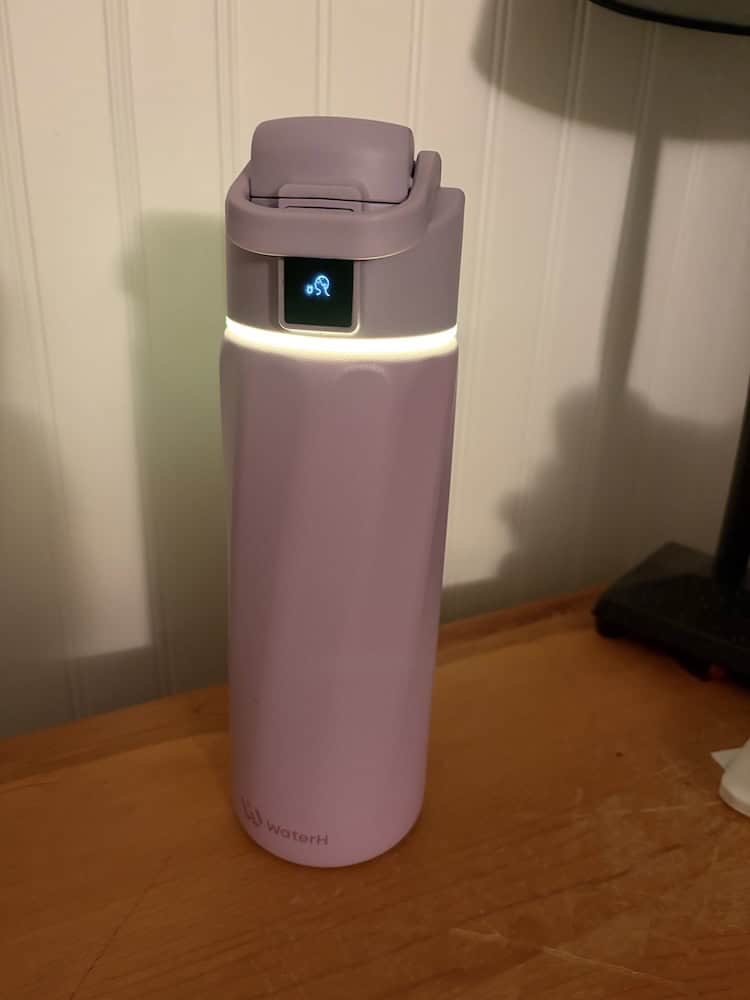
Second, there’s a light ring around the bottom of the lid that reminds you to drink.
Mine lights up with the “calm” yellow because that’s the setting I’ve chosen, but you can customize the light in the app. There are several options, including Breathe, Calm, Rainbow Pulse, Warmth and, inexplicably, Christmas. You can also control how frequently you want the bottle to remind you to drink.
The app is where you set everything up, see your hydration history and adjust your goals and reminders. You can even connect multiple WaterH bottles to the same app, which is a feature I haven’t actually needed yet, although I’ve considered buying a second bottle.
The tracking isn’t flawless. Occasionally the bottle needs to be recalibrated, which has to be done while it’s empty, and I’ve found that mine sometimes disconnects from the app.
This seems to happen more frequently when I go a while without opening the app. If I’m checking it regularly, I don’t tend to have much trouble. If I haven’t looked at it in a few weeks, there’s a decent chance I’m going to open the app and discover that Propa has decided she no longer wishes to speak to my phone.
Reconnecting it isn’t the end of the world, but it is annoying.

Does the WaterH bottle actually make me drink more water?
Yes. Resoundingly, yes.
Do I hit my hydration goal every single day? Absolutely not.
But that isn’t really why I bought the bottle. My goal wasn’t to become a perfectly hydrated person who hits an arbitrary number every single day. I bought it because I needed something that would actively prompt me to drink water instead of relying on myself to remember.
And it does that.
When the bottle is sitting beside me and that blue light starts flashing, I notice it. I take a drink. I can glance at the screen and see how I’m doing, and having an actual percentage makes it considerably harder to convince myself I’ve been drinking plenty of water when I haven’t.
The biggest weakness in this system remains me.
If I forget to fill the bottle, I can’t drink from it. If I leave it upstairs while I’m working downstairs and repeatedly walk upstairs only to forget why I went there, the fancy electronic water bottle cannot save me.
In fact, that’s exactly what happened today. It’s currently around two in the morning as I’m writing this, and I didn’t use my WaterH for most of the day because I left it upstairs and somehow repeatedly failed to bring it back downstairs with me.
Unsurprisingly, I also didn’t drink enough water today.
So no, the WaterH hasn’t magically fixed my hydration habits. What it has done is give me a system that works considerably better than relying on my own memory — and when I actually use it, I drink more water.
That’s exactly what I bought it to do.
Battery Life and Charging
This is probably one of my biggest annoyances with the WaterH.
The battery life itself isn’t terrible. As I’m writing this, mine is sitting at around 40%, and I charged it approximately two days ago. Considering there’s a screen, sensor, Bluetooth connection and light running off a battery built into the lid, I’m not particularly bothered by how often it needs charging.
Actually charging the damn thing is another story.
I’ve started having trouble getting mine to charge consistently. I’ll plug it in and occasionally discover that it hasn’t charged the way I expected it to. I’m not entirely sure whether my problem is the charging cable, the port on the bottle or something else.
Importantly, I don’t remember having this issue when the bottle was new. I’ve owned mine for about a year now, so it may simply be something that has developed with use.
It’s annoying enough that I’ve actually considered buying a second WaterH, partly because having two would be convenient and partly because I’m curious whether a new one would have the same charging issue.
For now, though, charging is probably my biggest complaint about an otherwise pretty reliable bottle.
Cleaning It
Cleaning the WaterH isn’t dramatically different from cleaning any other reusable water bottle, but there are a few extra nooks and crannies to deal with.
You’ll definitely want a bottle brush for the inside. The lid can get wet — you’re obviously not going to electrocute your water bottle by washing it — but there are quite a few little crevices around the drinking mechanism that require more attention than the bottle itself.
I find a smaller cleaning brush helpful for getting into those areas. It’s not difficult, exactly, but you do need to actually clean them rather than giving the lid a quick rinse and calling it a day.
This is also one of the reasons I’ve considered buying a second bottle. It would be nice to have another one available when the first is being cleaned or drying, although I haven’t reached the point where I’m willing to admit I need multiple electronic water bottles just yet.
One Thing to Know About the Lid
There’s one other quirk I think is worth mentioning, particularly if you plan to travel with the WaterH.
The lid has a small arm that doubles as a carrying handle. When it’s closed, that arm sits over the button that opens the drinking spout, which should theoretically prevent the bottle from accidentally opening.
The problem is that the arm itself can get knocked out of position fairly easily when the bottle is inside a bag. Once that happens, the button is exposed — and it doesn’t take much pressure to pop the lid open.
For that reason, I will not put a full WaterH inside a bag with my electronics.
I’ll happily put the empty bottle inside my Monos backpack, but if it’s full, it stays somewhere else. I’ve got a laptop, iPad and enough other electronics in there that I’m not gambling thousands of dollars worth of gear on a water-bottle button.
It doesn’t make me like the bottle any less, but it’s absolutely something I’d want to know before buying one.
Who Should Buy a WaterH smart water bottle?
If you’re like me and you know you don’t drink enough water, a smart water bottle can genuinely help.
I’ve now owned two different smart water bottles, and both have proven the concept to me. If that little drink some water alarm in your brain simply doesn’t go off, having an actual bottle sitting beside you flashing a light every so often is surprisingly effective.
Obviously, that doesn’t mean it’ll work for everyone. But if you have ADHD, struggle with executive functioning or are simply someone who routinely gets to the end of the day and realizes you’ve barely had anything to drink, I think the WaterH is worth considering.
On the other hand, if you’re already great at drinking water, you probably don’t need one.
The 32-ounce WaterH Boost costs around $80 CAD ( $50 USD) and you can get it right on Amazon. So while it’s not outrageously expensive compared to some of the water bottles people are carrying around these days, you’re still paying extra for technology you may not actually need.
If you already refill your regular water bottle three times a day without thinking about it, congratulations. Your brain apparently came with the hydration feature pre-installed. There is one other group I’d give a slight warning to: people who are constantly on the road.
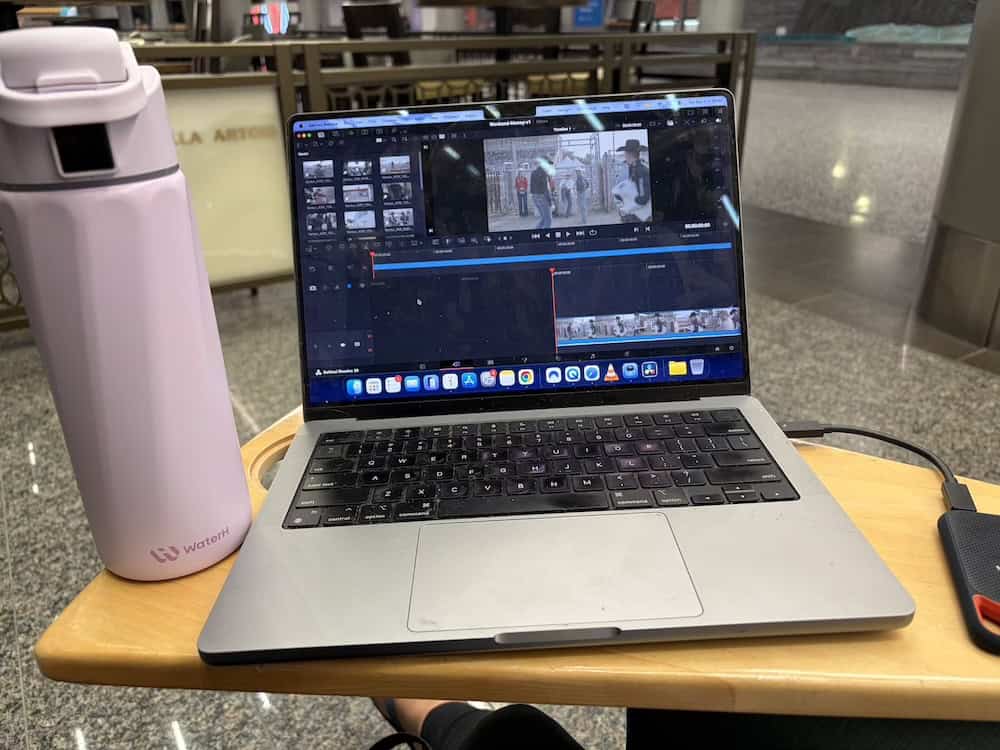
The insulated metal construction is fantastic when I have access to ice. At home, I can fill it with ice and cold water and I’m perfectly happy. On film shoots and other trips where getting ice isn’t always convenient, I don’t enjoy drinking out of it quite as much. Ironically, those are also the days when I probably need the reminders the most.
For me, that’s not enough of a downside to stop using it. Plus, if I’m being honest, it still gets tossed in my road bag. But if you’re constantly traveling and particular about having ice-cold water, it’s something I’d consider.
Ultimately, I wouldn’t buy a WaterH because you want another fun piece of technology — unless collecting unnecessary technology is your thing, in which case, do you, man.
I’d buy one because you have a hydration problem you actually want it to help solve.
Is the WaterH Smart Water Bottle Worth It?
For me, absolutely.
Without some kind of reminder, I simply don’t think to drink enough water. And as annoying as that little blue flashing light can occasionally be, it works. I see it, remember that water is apparently necessary for human survival, and take a drink. That’s exactly what I bought the bottle to do.
I’d also personally choose the WaterH over something like a HidrateSpark again. That’s not because I think there’s anything wrong with HidrateSpark — I’ve owned one and loved it — but WaterH gives me what I actually need from a smart water bottle for considerably less money. When I was shopping, a comparable HidrateSpark was significantly more expensive, while WaterH offered larger capacity options without the same price jump.
HidrateSpark may be the better choice if you’re really interested in the app and want more features to play with. Personally, I don’t need my water bottle to do much. I need it to track roughly how much I’m drinking, remind me when I’m not drinking, and preferably keep my water cold while doing it.
WaterH does all three.
I also like that the Boost comes in different sizes and plenty of colors. Mine is lilac, which I still think is gorgeous, although if I eventually cave and buy a second one, I’m probably going with the light green. Or brown, because apparently I’m a brown girly these days.
For the price, particularly if you’ve never owned a smart water bottle and aren’t sure whether the concept will actually work for you, I think the WaterH is a great place to start.
And after about a year of using mine, I can pretty confidently say it works for me. The app can be annoying, charging mine has become temperamental and I still occasionally manage to leave the damn thing on another floor for an entire day.
But when púrpura is charged, filled and sitting beside me flashing that obnoxious blue light?
I drink more water. That’s what I paid for.
Looking for more products to fall in love with? These are my picks:
- I dragged my Armoured Travel carry-on through downtown Calgary — here’s how it held up
- This Sherpa carrier has carted all three of my dogs through international airports
- I love my Monos Metro Backpack for filmmaking, but not for airport trips with my dogs


